
Field operations workflow case study
HVAC Stock Pulse
A focused inventory application designed to help technicians record truck usage quickly while managers see stock, reorder pressure, corrections, people, vehicles, and exports in one working system.
Fictional-data demonstration. This is not a claim about a real HVAC client or measured savings.The operating problem
Inventory updates arrive too late when the field workflow is harder than the work itself.
Service teams can lose track of inexpensive but job-critical parts when usage lives in memory, text messages, paper notes, or a spreadsheet updated later. The manager sees the shortage only after a truck is already missing something.
- Technicians need a fast, touch-friendly way to record what left the truck.
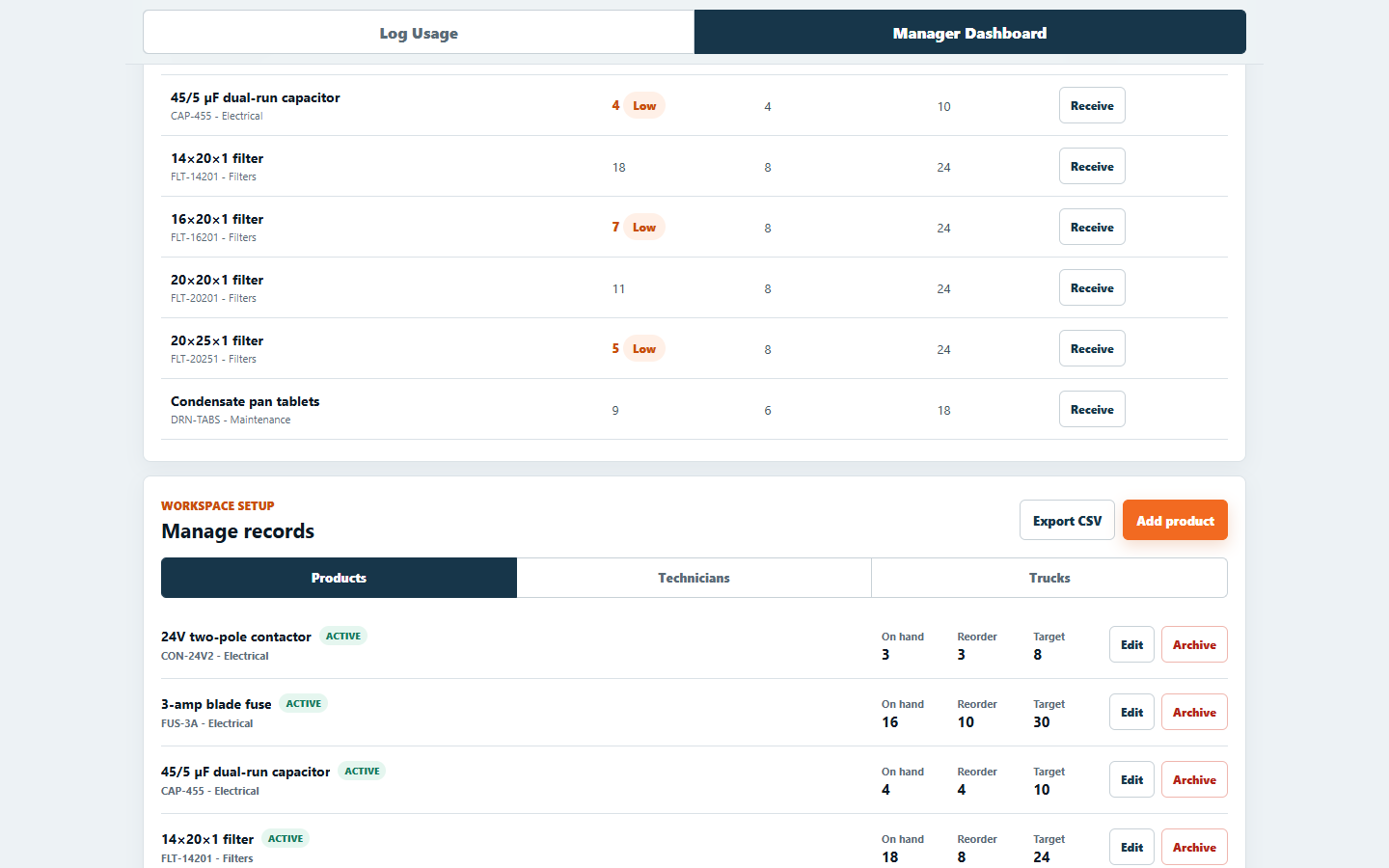
- Managers need current stock and a practical reorder signal.
- Corrections need an audit trail instead of silent spreadsheet overwrites.
- Routine setup should not require a developer every time a product, person, or vehicle changes.
The working flow
One field action updates the manager view.
The interface separates technician speed from manager control while keeping one authoritative inventory and transaction record.
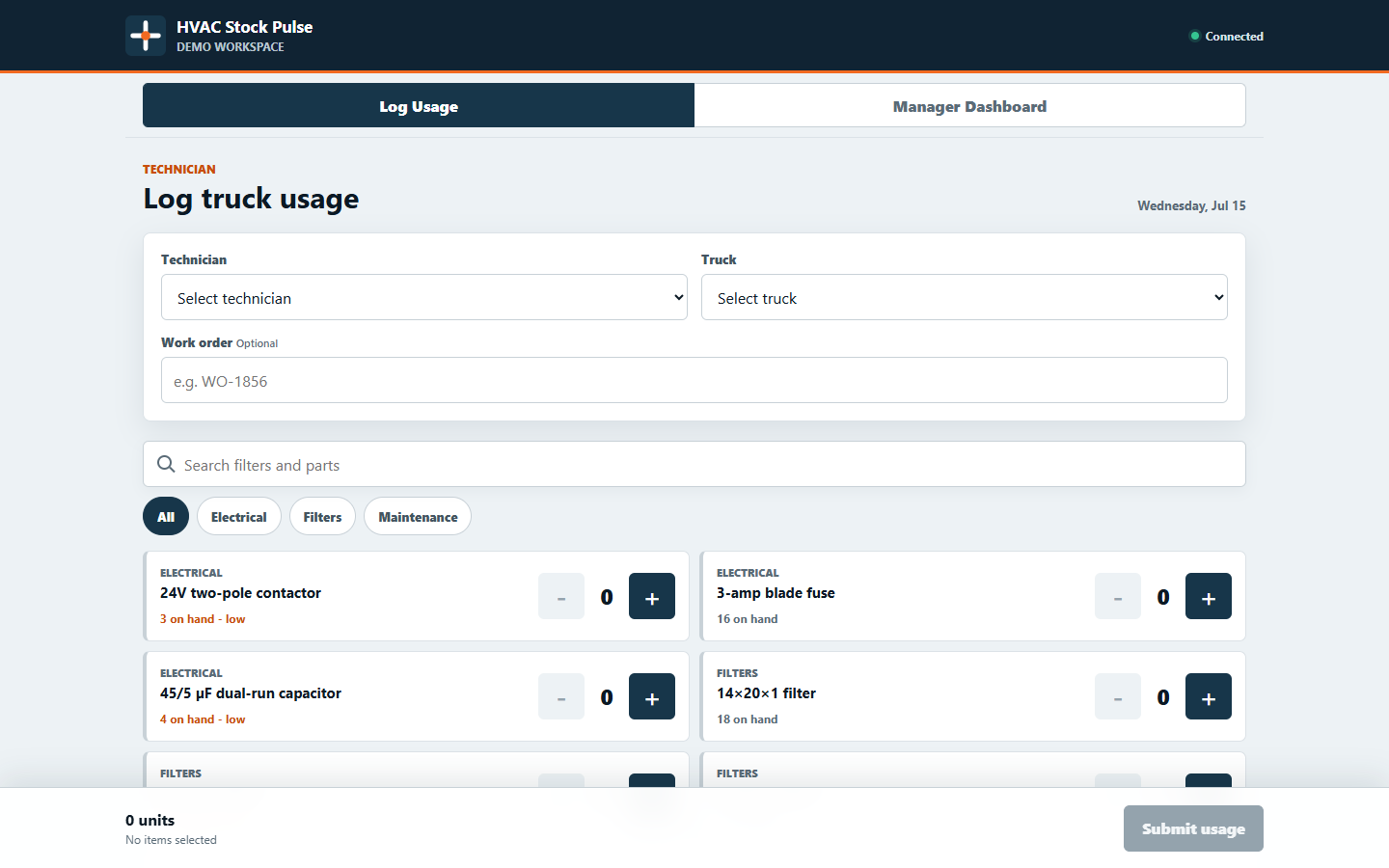
From truck to decision
A four-step operational loop.
- Technician records usageThe field team captures the part, quantity, truck, and optional work order while the job context is fresh.
- Inventory updates atomicallyValid submissions reduce stock together; invalid or excessive quantities are rejected without partial changes.
- Manager sees exceptionsLow stock, suggested order quantities, daily and weekly usage, and activity surface immediately.
- Setup stays maintainableThe manager adjusts counts with a signed audit entry and maintains products, people, vehicles, and spreadsheet exports.
What this demonstrates
Small software can solve a specific operating problem without becoming another giant platform.
The demonstration intentionally starts with one company-wide stock pool. It can grow into truck-specific quantities, barcode scanning, purchasing, suppliers, authentication, PostgreSQL, and integrations only when the business case supports them.
HVAC Stock Pulse uses fictional technicians, trucks, work orders, inventory, and activity. The private hosted demo remains access-controlled and is not embedded here. Installation creates an app icon and standalone window, not a separate local inventory database or an offline-write guarantee. Authentication roles, backups, monitoring, multi-company isolation, and production support requirements must be completed before real operational use.
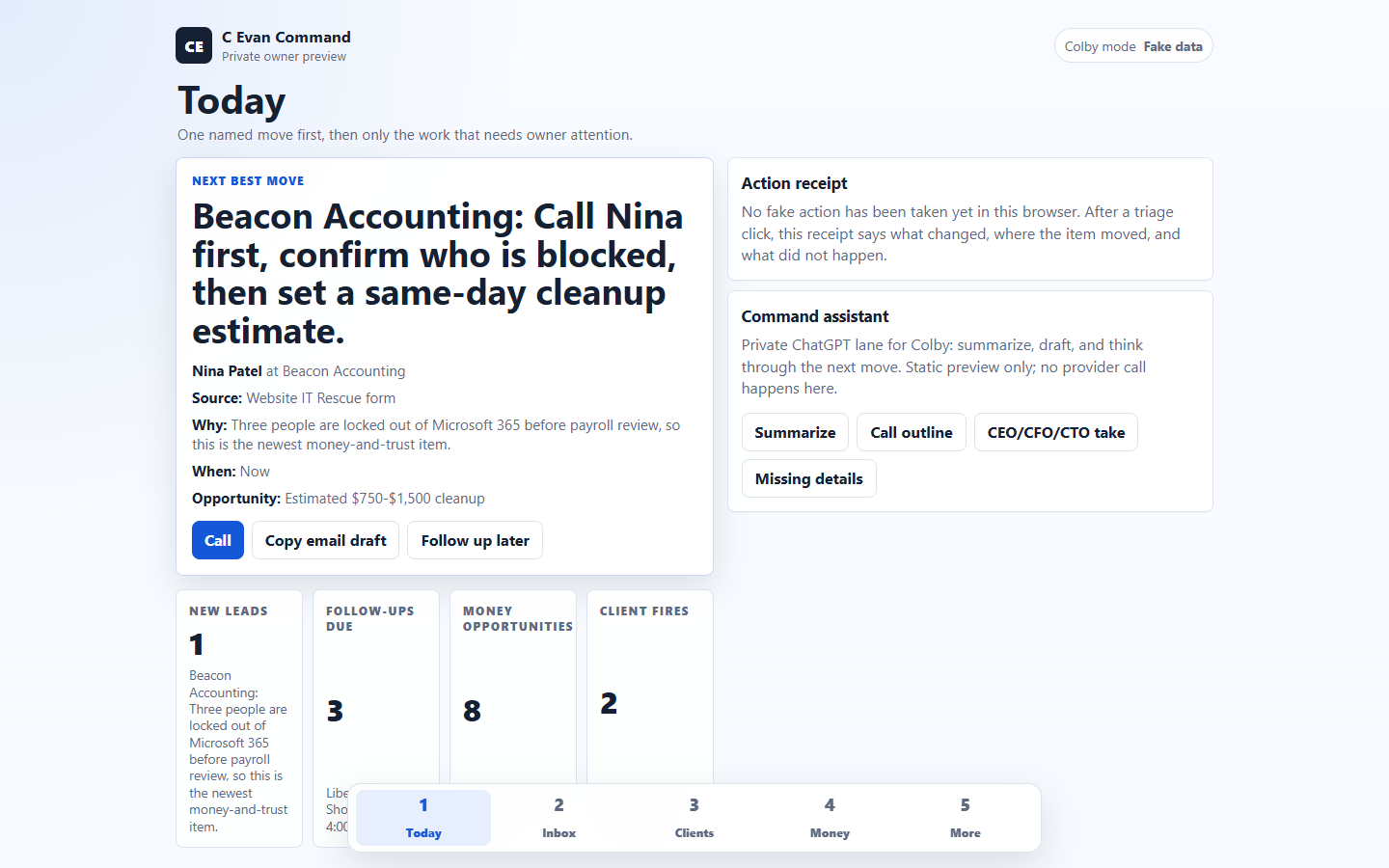
Another working example
C Evan Command
See how the same practical approach turns leads, follow-ups, client risk, and supported money opportunities into one owner-facing queue.
Explore the C Evan Command case studyBuild around the way your team works
What is still being tracked by memory, text messages, or a spreadsheet updated later?
Start with one costly handoff. C. Evan Solutions can help decide whether it needs a cleanup, an automation, a focused internal tool, or no custom software at all.